
PhotoScribe
Titles, captions and keywords for your photos — written by a vision model running entirely on your own machine. No cloud, no subscriptions, nothing leaves your computer.
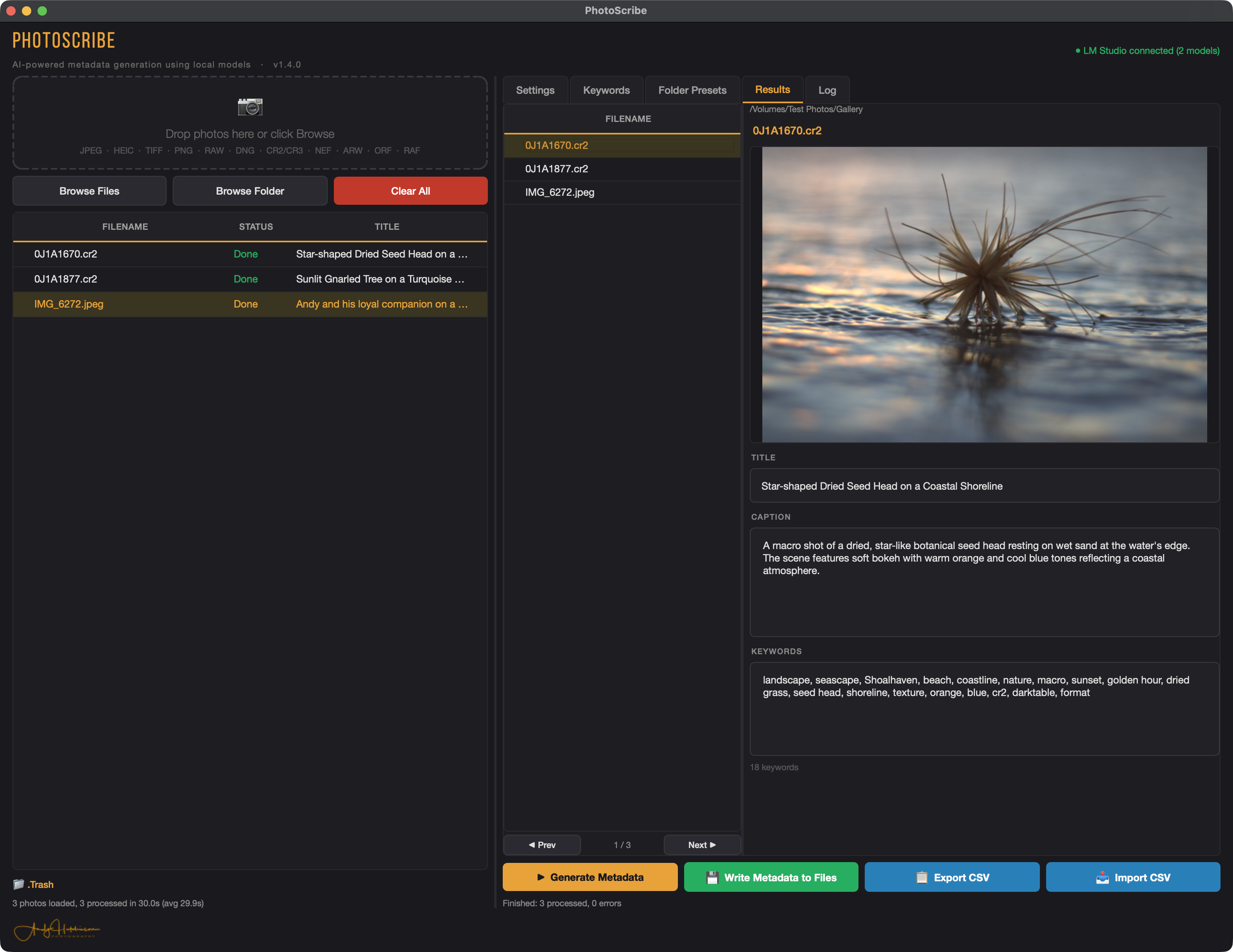
Drop, generate, done
Five steps between a folder of nameless files and a fully catalogued shoot. You stay in control of every one of them.
Drop your photos
Drag and drop, or browse a folder. RAW and standard formats, mixed together, all fine.
Add a little context
Location, event, photographer. The model produces far better captions when it knows where it's looking.
Generate
A local vision model writes a title, caption and keyword set for every frame in the batch.
Review & edit
Nothing is committed until you've read it. The AI is good, not infallible — the last word is yours.
Write to file
IPTC + embedded XMP, written straight into your photos via ExifTool. Backups on by default.
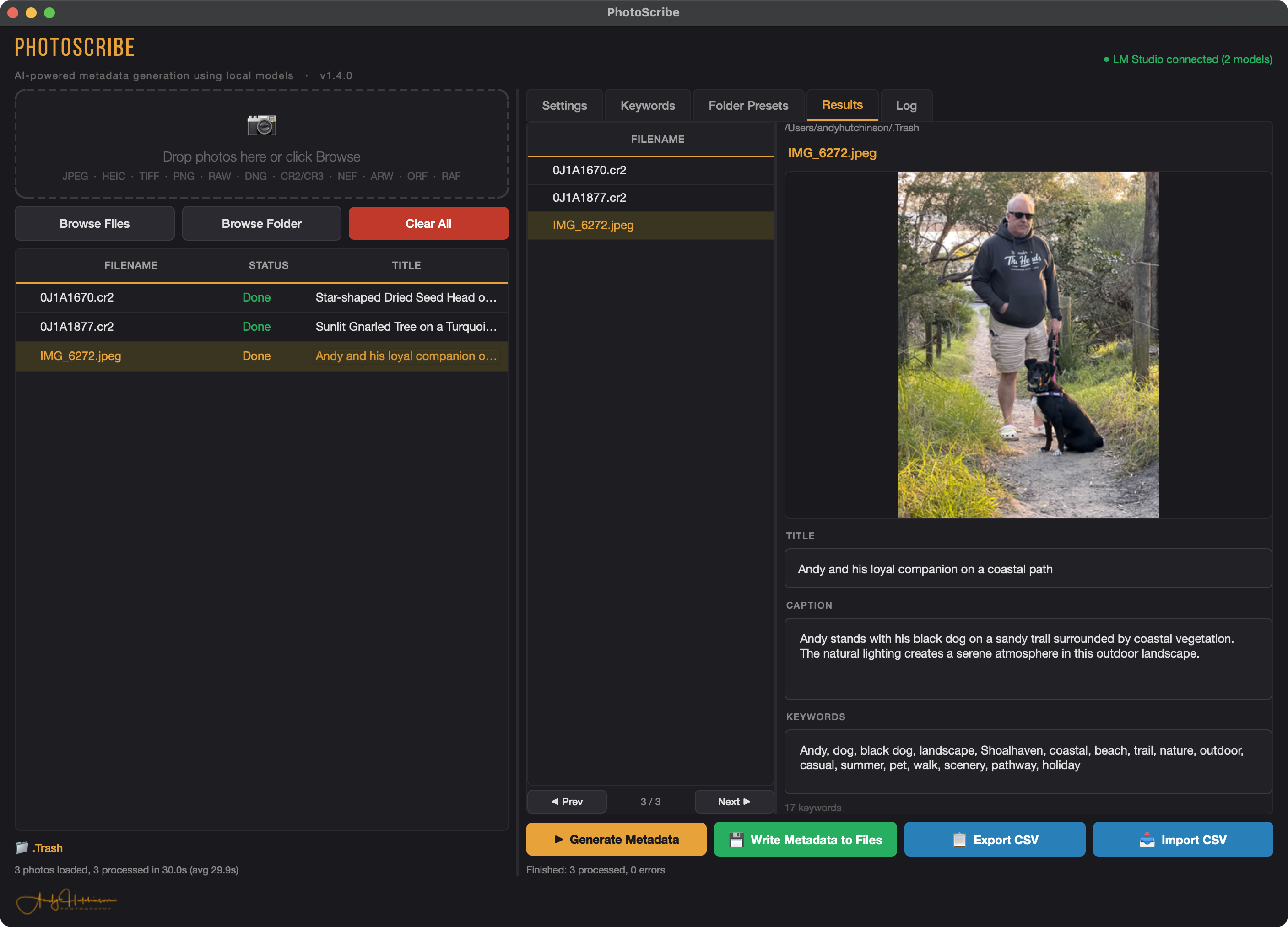
Names it already knows, it uses
If your files already carry name metadata — a face tagged in Lightroom, a person keyword — PhotoScribe reads it and writes captions that actually name people.
So you get "Andy and his loyal companion on a coastal path" instead of a flat "a man and a dog". Context you already have, quietly put to work.
Local models. Nothing uploaded.
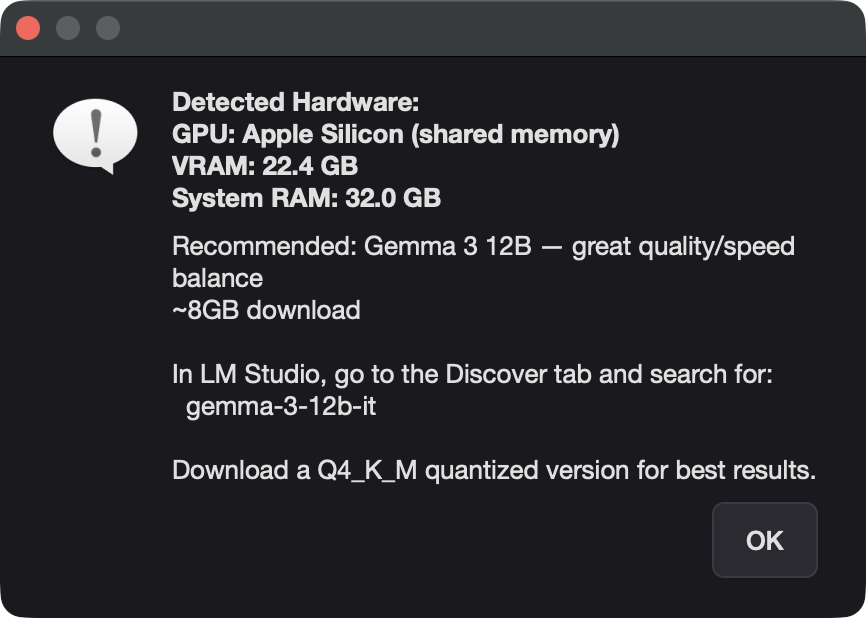
PhotoScribe hands a resized copy of each photo to a vision model running locally through LM Studio (or Ollama) — on your own CPU or GPU. There's no account, no monthly fee, and your images never leave the building.
It checks your hardware and tells you exactly what to run. On a decent Apple Silicon Mac that's Gemma 3 12B — the sweet spot for quality and speed. Bigger model, better captions; use the largest one your machine can handle.
RAW and standard, side by side
Written the way DAM tools expect
Metadata is embedded as both IPTC and XMP — the same approach professional asset managers use — so it's picked up on import, everywhere:
What photographers are saying
A few notes left under the launch video over on YouTube.
"I ran PhotoScribe over a collection of several thousand images from a trip to Europe, and the results are amazing. This has saved me SO MUCH time tagging photos. Well done!"
"This works great and has saved me days of drudgery! Great move to make this open source — and I can see you're updating it."
"I have been bumbling around with metadata for years. I finally feel like the gaps in my workflow have been resolved."
"I do like the UI — it's clear and logical, and the speed is great. The program looks very promising; wish Excire Foto had this built in!"
Three bits and a one-liner
PhotoScribe is free and open source under the MIT licence. You'll want these three installed first — the install script handles everything else.
Python 3.10+
The app itself. macOS, Windows and Linux all supported.
A local model runner
LM Studio or Ollama, with a vision model such as Gemma 3 12B pulled down.
ExifTool
Phil Harvey's tool, used to write the metadata into your files.
# macOS / Linux
git clone https://github.com/repomonkey/photoscribe.git
cd photoscribe
./install.sh