IPUTHA
Put something down, forget where it went? Log it in three taps — what, how, where — then tap the item later to see exactly where it is. No typing, no friction, nothing leaves your phone. Built for ADHD brains that don't file things the usual way — including mine.
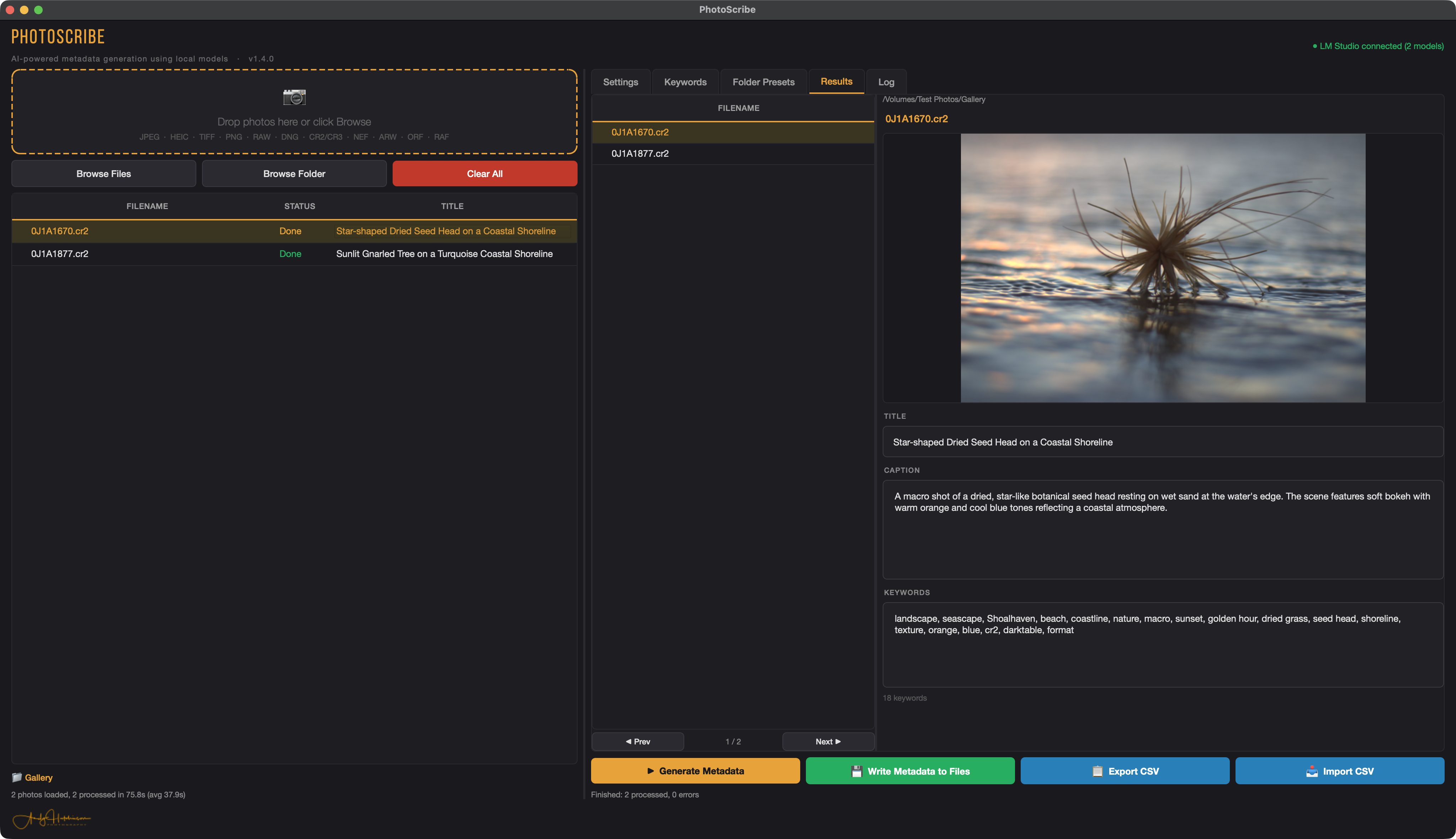
PhotoScribe
I hate writing keywords. PhotoScribe reads your RAWs and writes the title, caption and keywords for you — entirely locally, using your own models via LM Studio, so nothing leaves your machine. Point it at a folder, hit generate, and get on with shooting.
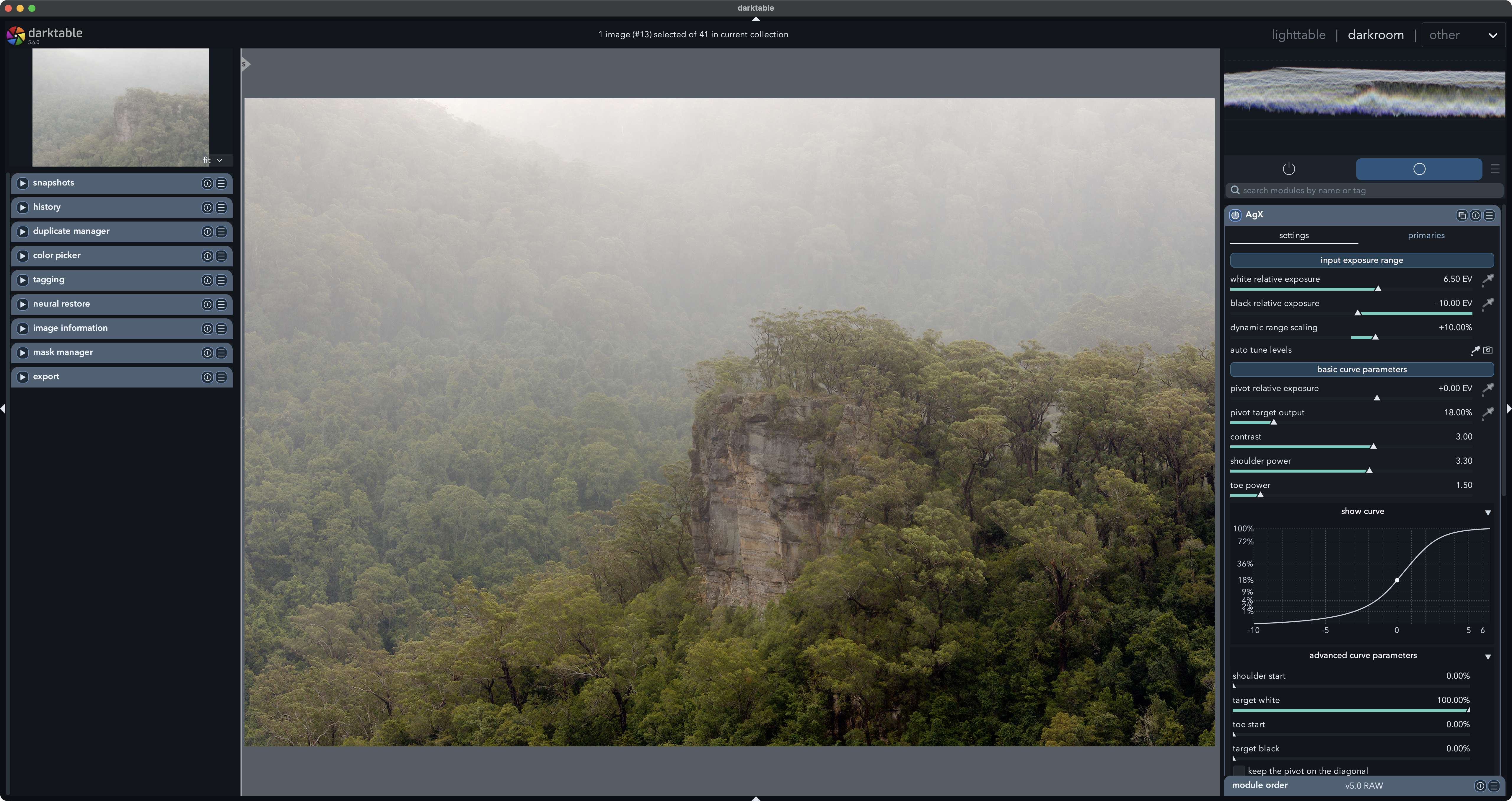
Darktable theme
A darktable theme I built because the default grey was doing my head in. Darker, warmer, higher contrast — an interface that keeps your eyes on the photo, not the panels. Drop it in and go.
Download theme→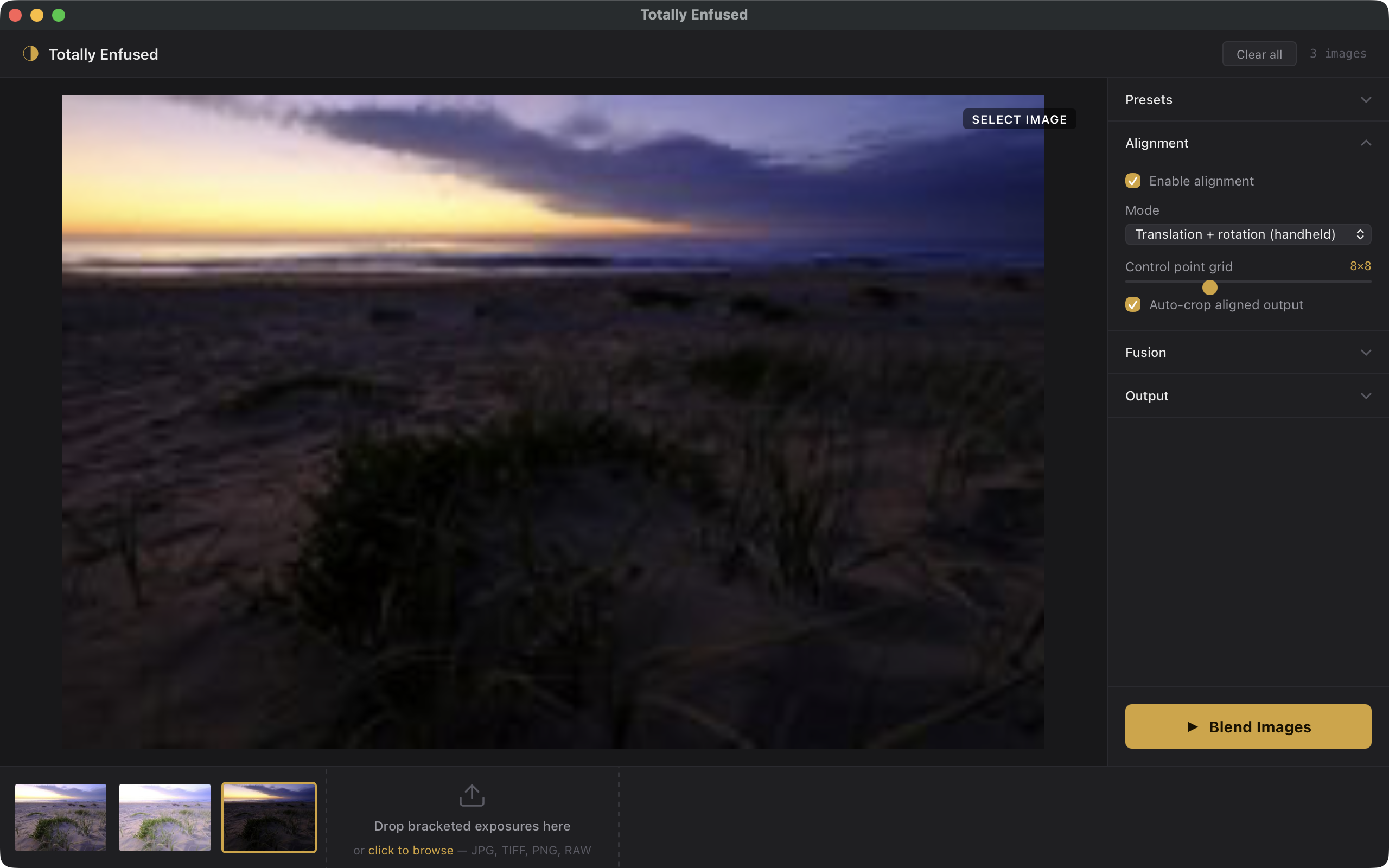
Totally Enfused
Bracket a scene, drop the exposures in, and Totally Enfused aligns and blends them into one natural-looking image — no nuclear HDR, no halos. Handheld alignment, auto-crop, presets. Exposure blending the way it should look.
Download→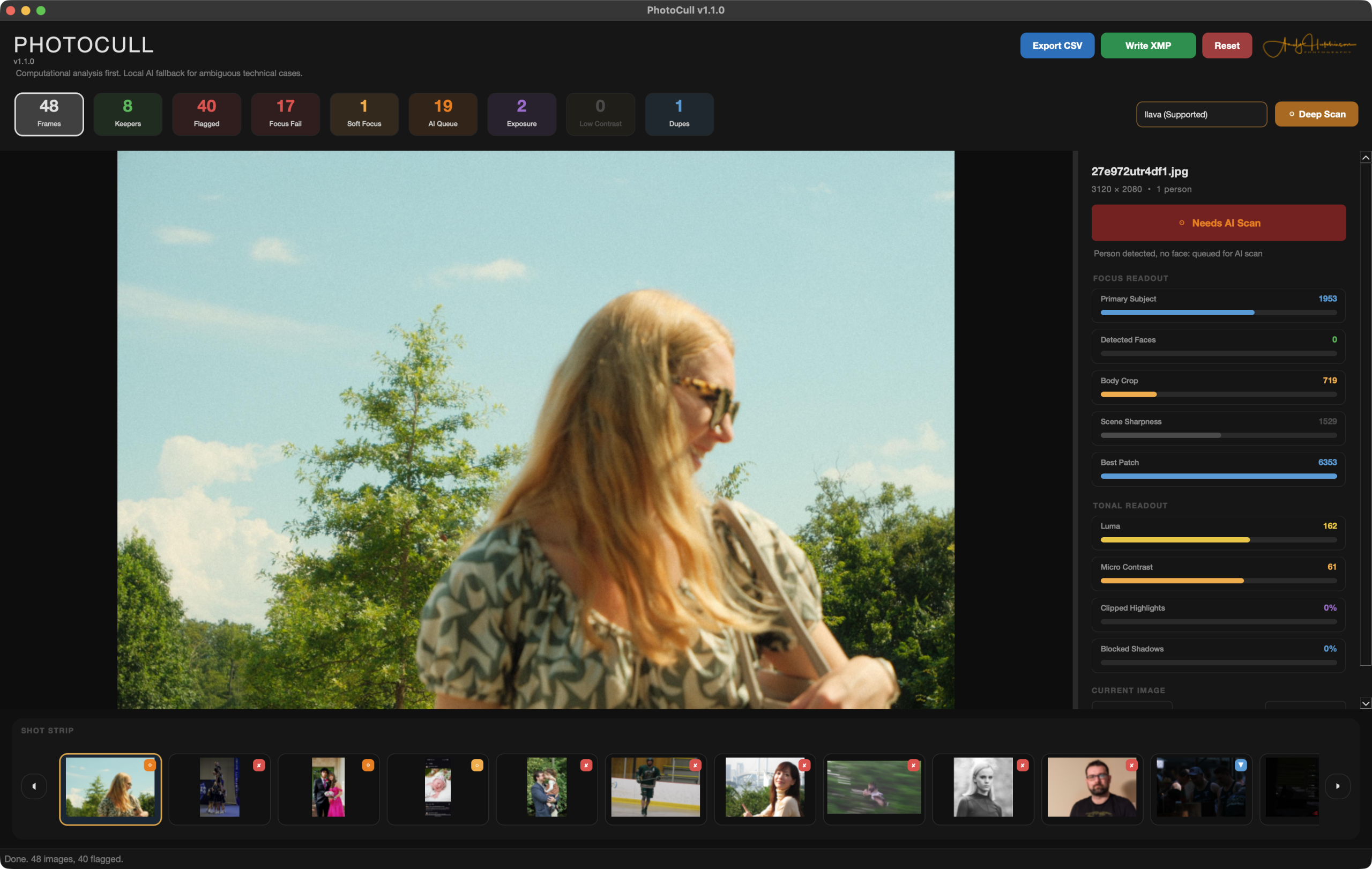
PhotoCull
Culling a thousand frames by hand is soul-destroying. PhotoCull does the first pass for you — checking focus, exposure, contrast and duplicates computationally, and only falling back to local AI for the genuinely ambiguous cases. Keepers up top, the rubbish flagged, all on your own machine.
View on GitHub→SeaSteps
A web project of mine, live at seasteps.au. Head over to see how it works — I'll drop a proper description and screenshot in here shortly.
Visit site→